Clans are finally here with the release of Update 0.61! With this guide, find out how you can join a Clan, or start your own.
JOINING A CLAN
If you want to immediately join a Clan, tap the “Quick Join” button at the bottom of the screen.
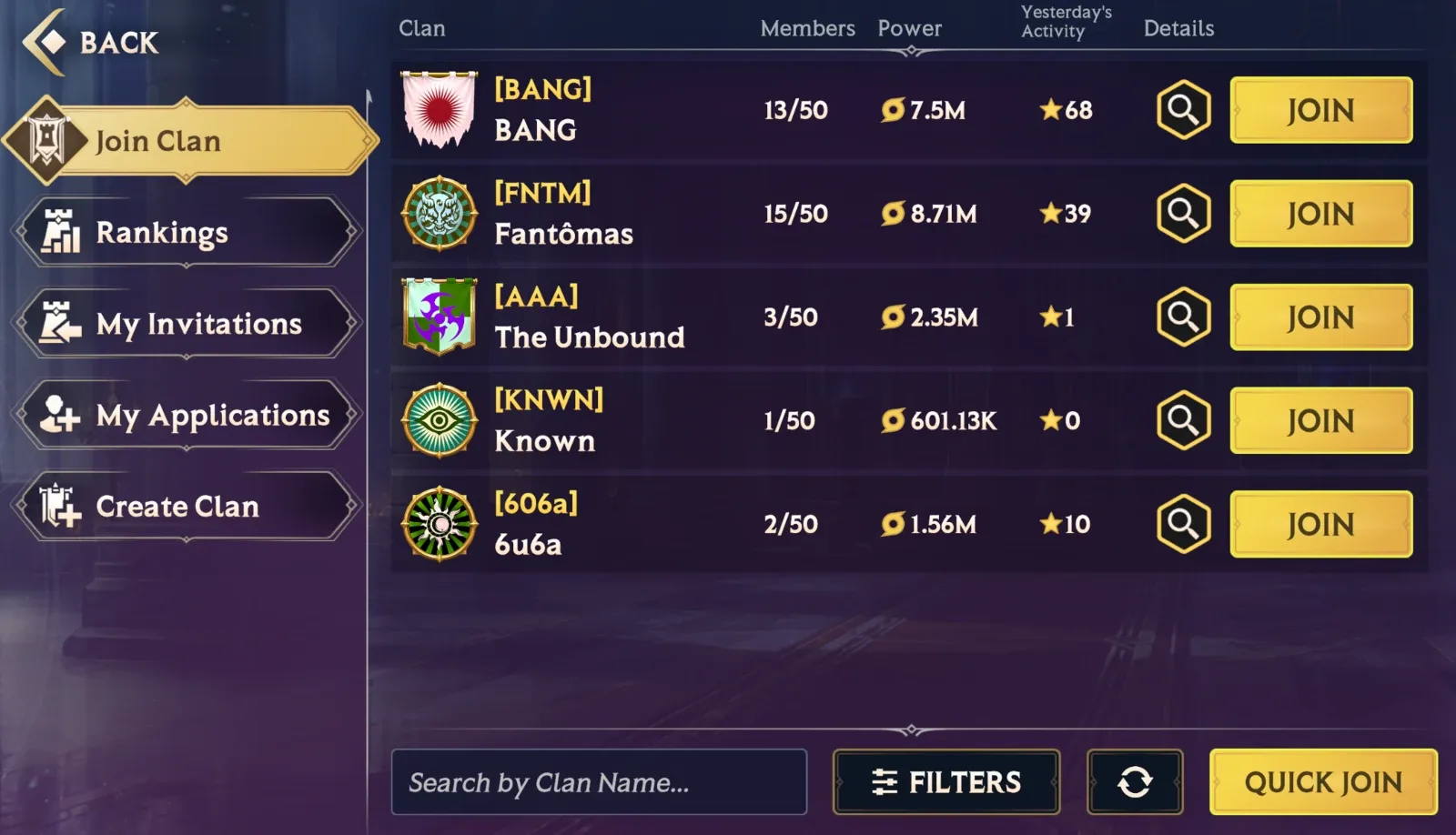
This will see you join whatever Clan that will take you!
If you want to be more discerning about which Clan you want to join, browse through the Clan List. Here, you’ll be able to see the Clan’s overall Power, when they’re active, how many member slots they have free and so on. You can tap on any Clan to find out more information. You can even filter by certain parameters, if you want to find a Clan that exactly fits your needs.
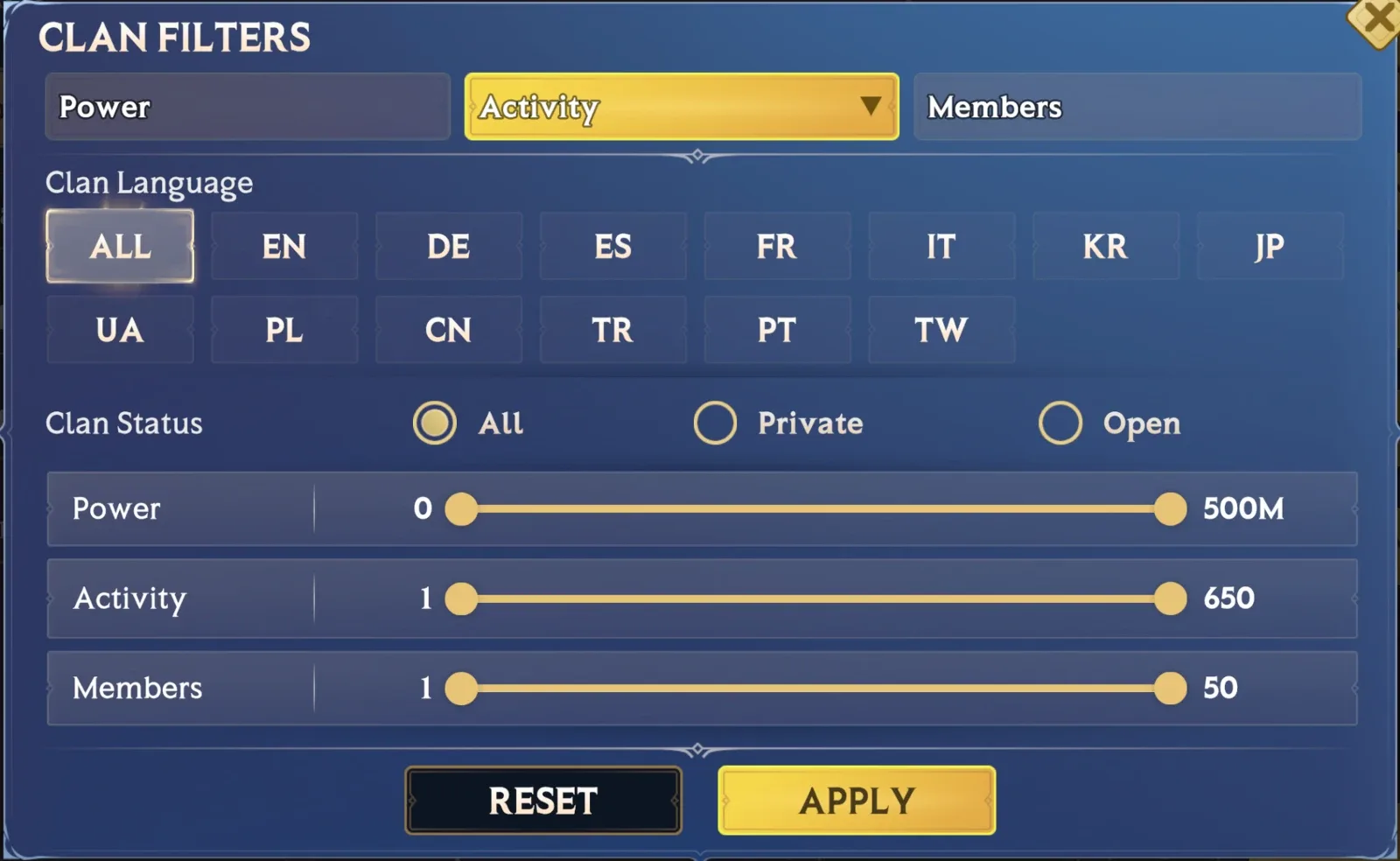
For some Clans, you’ll need to make an application if you want to join. You can check the status of your application in the “My Applications” tab. Fingers crossed you’re accepted!
Those are all the basics if you want to join a Clan. How about setting up your own Clan?
CREATING A CLAN
To create a Clan, you need to be Player Level 10 and have 100 Gems to spend. In the Clan Menu, go to the “Create Clan” tab to begin.
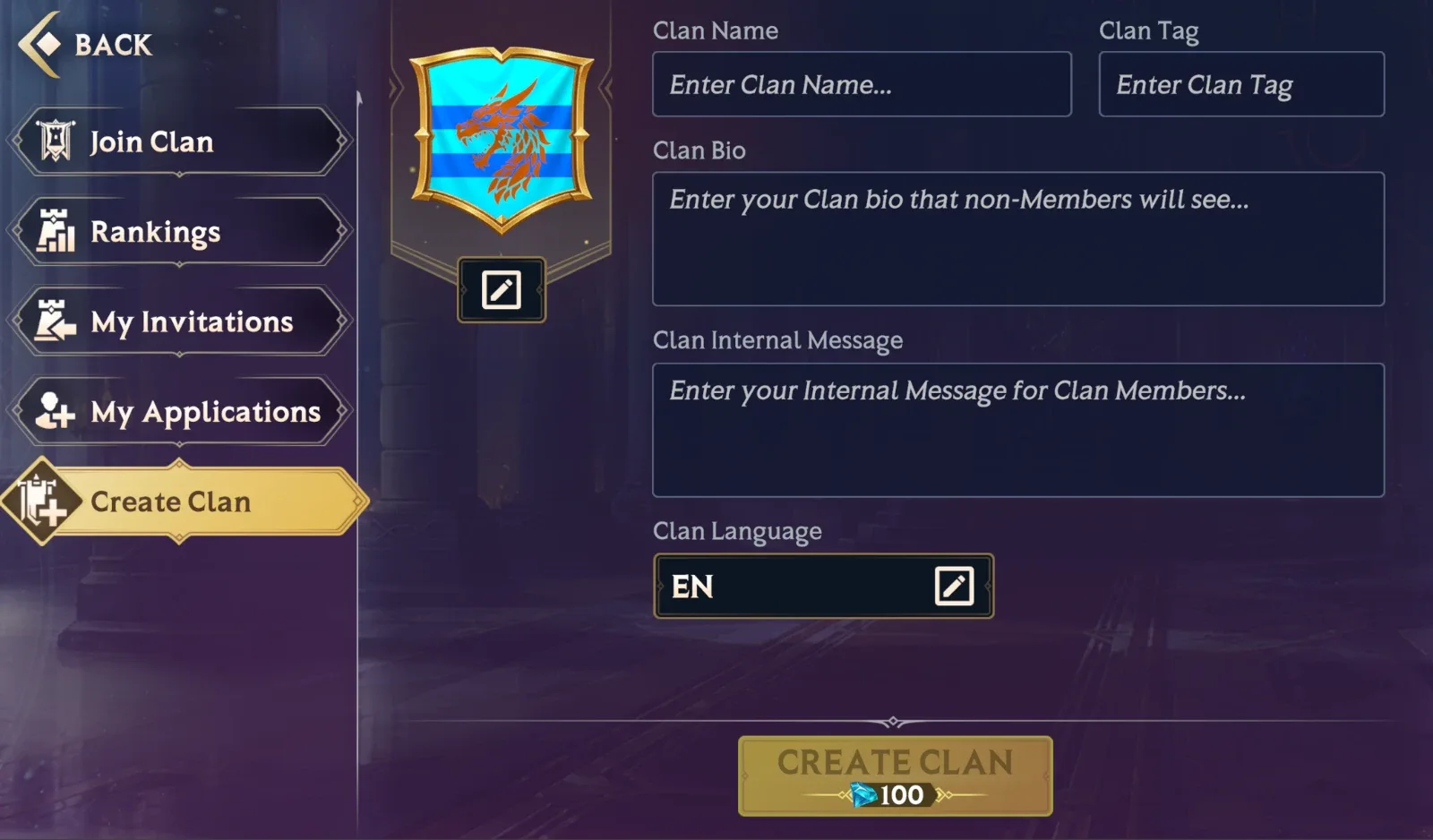
Here, you can enter all the details to start your Clan. You’ll need a name, a Clan Tag, a short description of what your Clan’s all about for prospective recruits, an internal message that all Clan members will see when they check in on their Clan, and also the main language your Clan communicates in.
You can also customize your very own Clan Banner! Here, you can select the shape of the banner itself, the pattern to go on the banner, as well as the symbol that best captures your Clan’s essence. You can, of course, tweak the color and position of certain elements to make something that really stands out. We can’t wait to see what banners we see fluttering in the Arena!
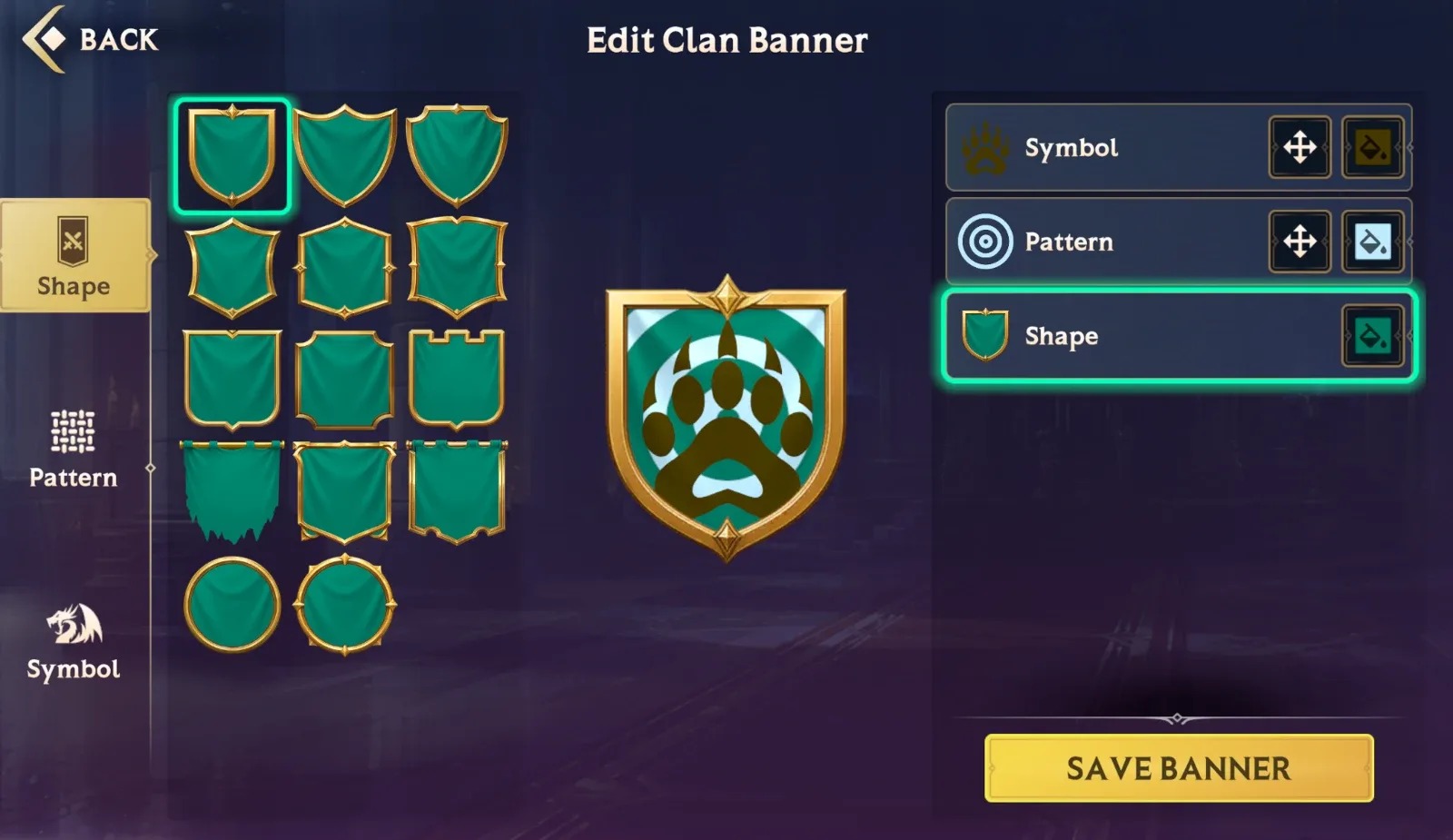
With all of that set, hit “Create Clan” and you’re done! Your Clan is now ready to conquer the world.
Once your Clan is up and running, you can also set some additional rules for joining. You can set it so recruits have to have a set minimum Player Power and Level to join, and you can also set the Clan to “Private”, meaning people can only join via invite.
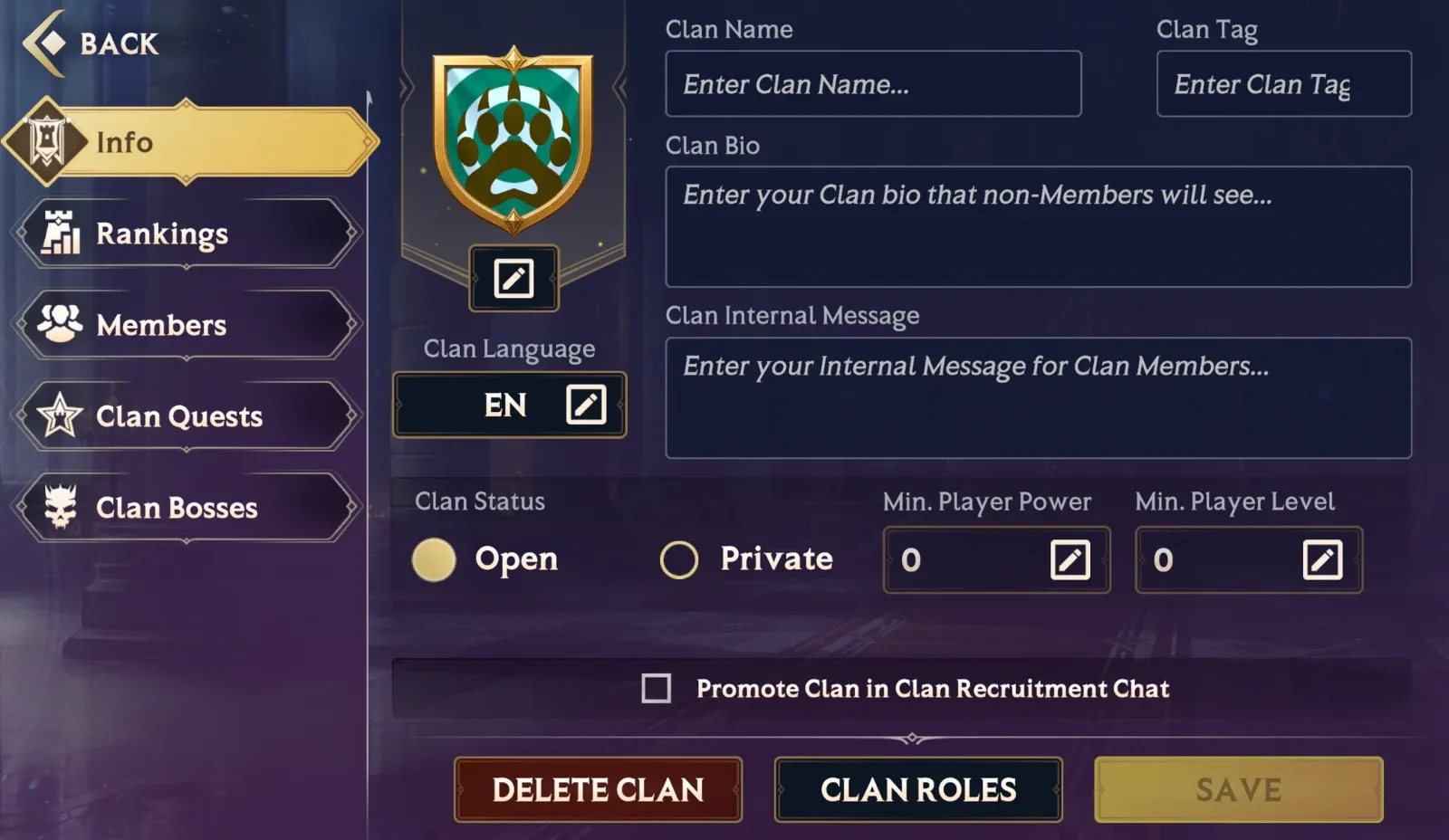
From here, you can also set Clan Roles and if you want to start all over, you can also delete the Clan entirely.
In the “Members” tab, you can see which of your fellow Clan Members are online, when they joined, and more. By tapping the cog icon near their name, you can kick someone from their Clan or change their role – giving them more responsibility or even making them the new Leader. There can be only one!
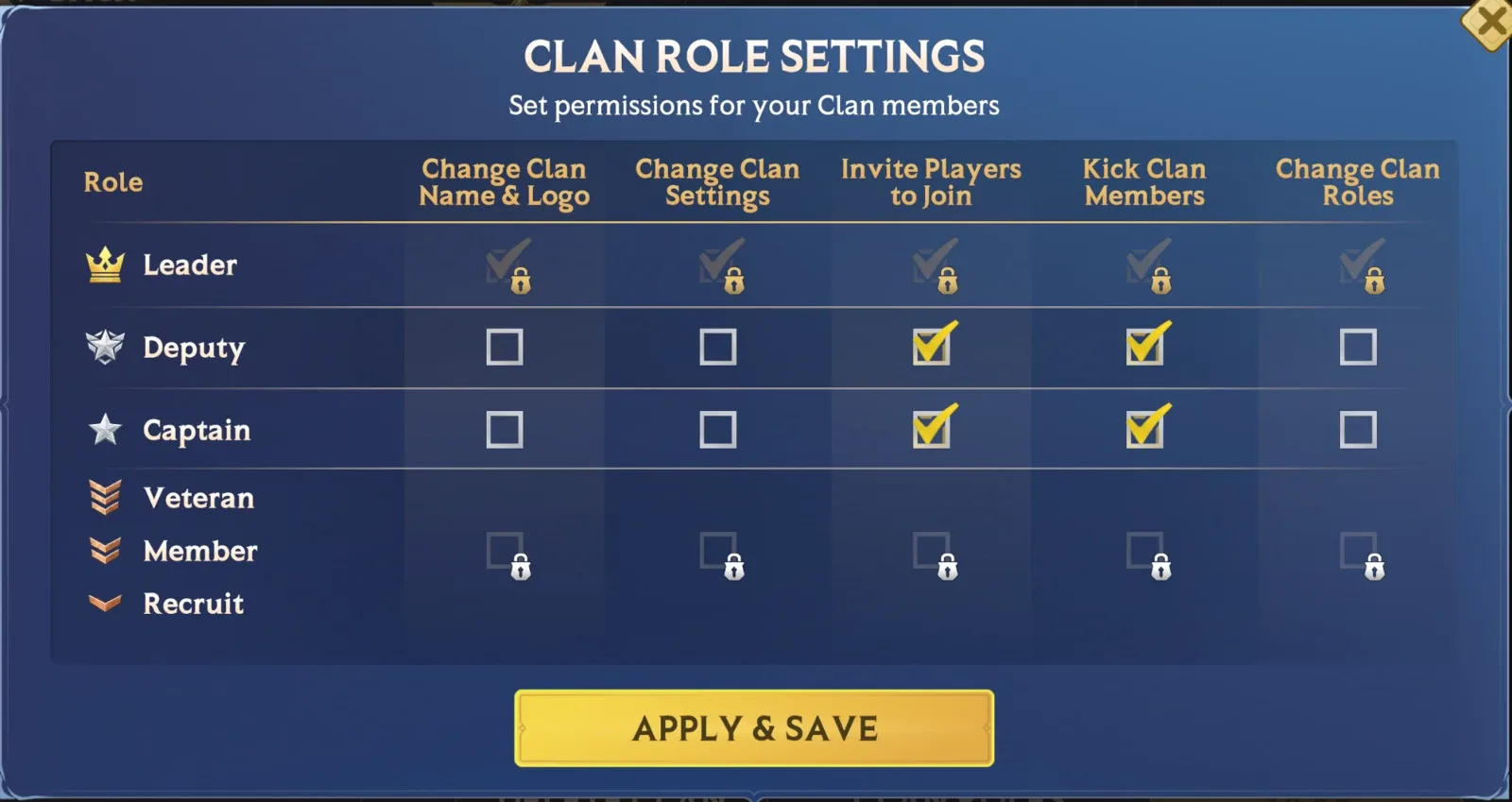
From the “Applications” and “Invitations” tab, you can see who has applied to join your merry band, and who you have invited to be a member.
CLAN BENEFITS
As part of a Clan, you gain access to a special Clan Chat, reserved only for your members.
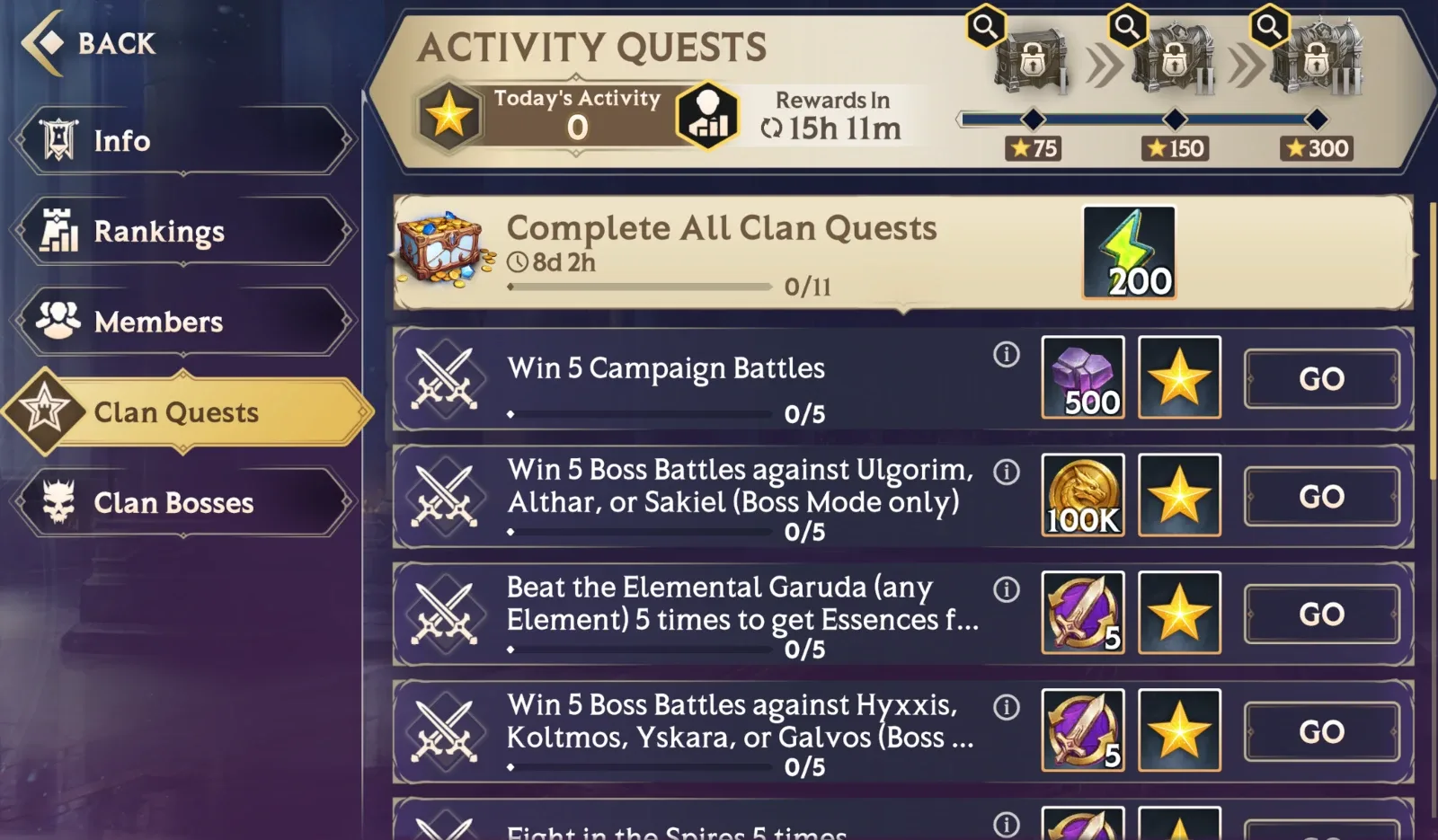
You can also complete Clan Activity Quests! These work similarly to Daily Quests, with everyone in the Clan being able to complete a Quest to earn an Activity Star. Earn enough Activity Stars across the whole Clan and you’ll earn a Clan Quest Chest!
Reach certain Activity Star thresholds and you’ll upgrade the Clan Quest Chests, resulting in greater goodies for everyone who contributed.
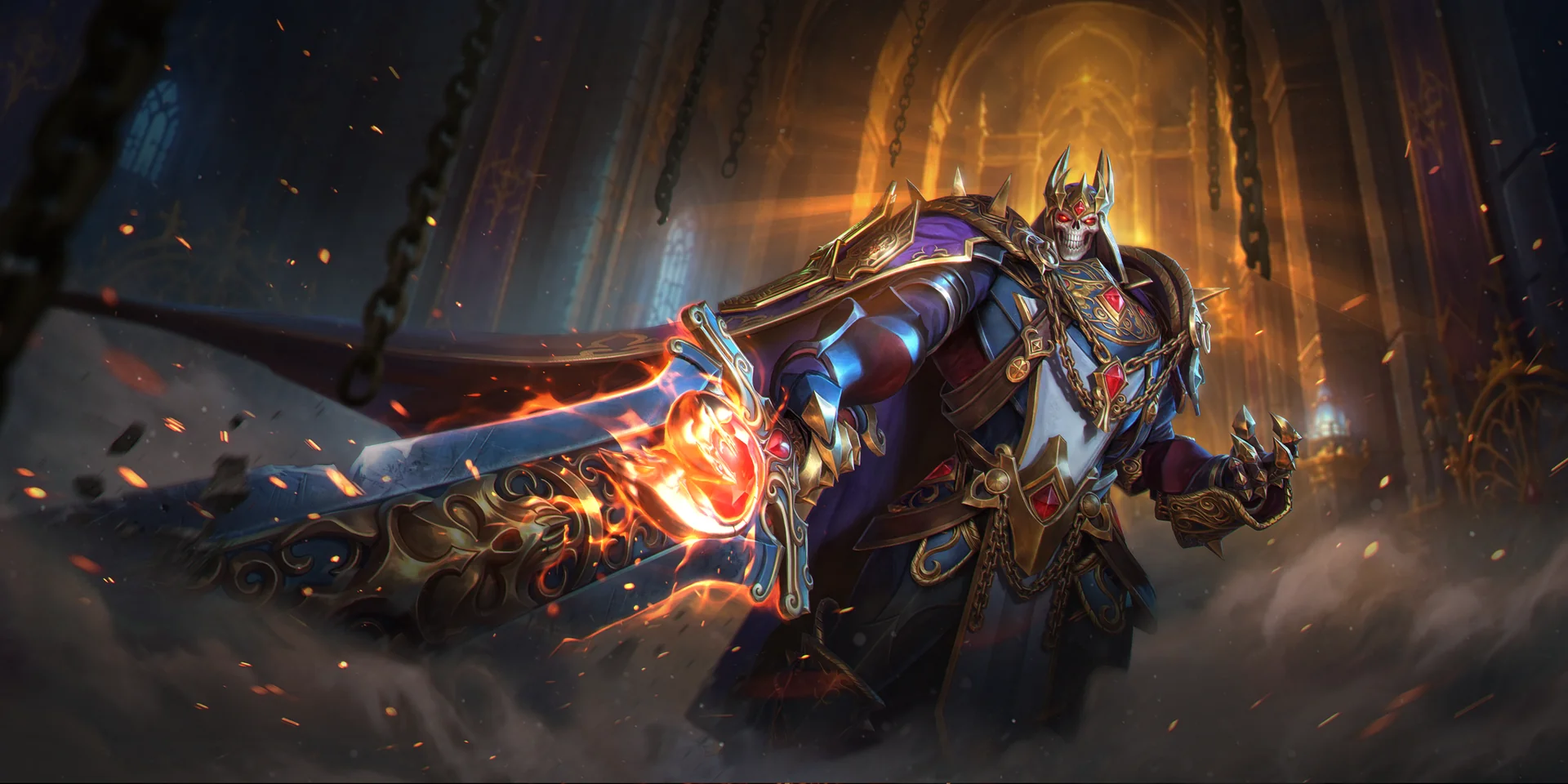
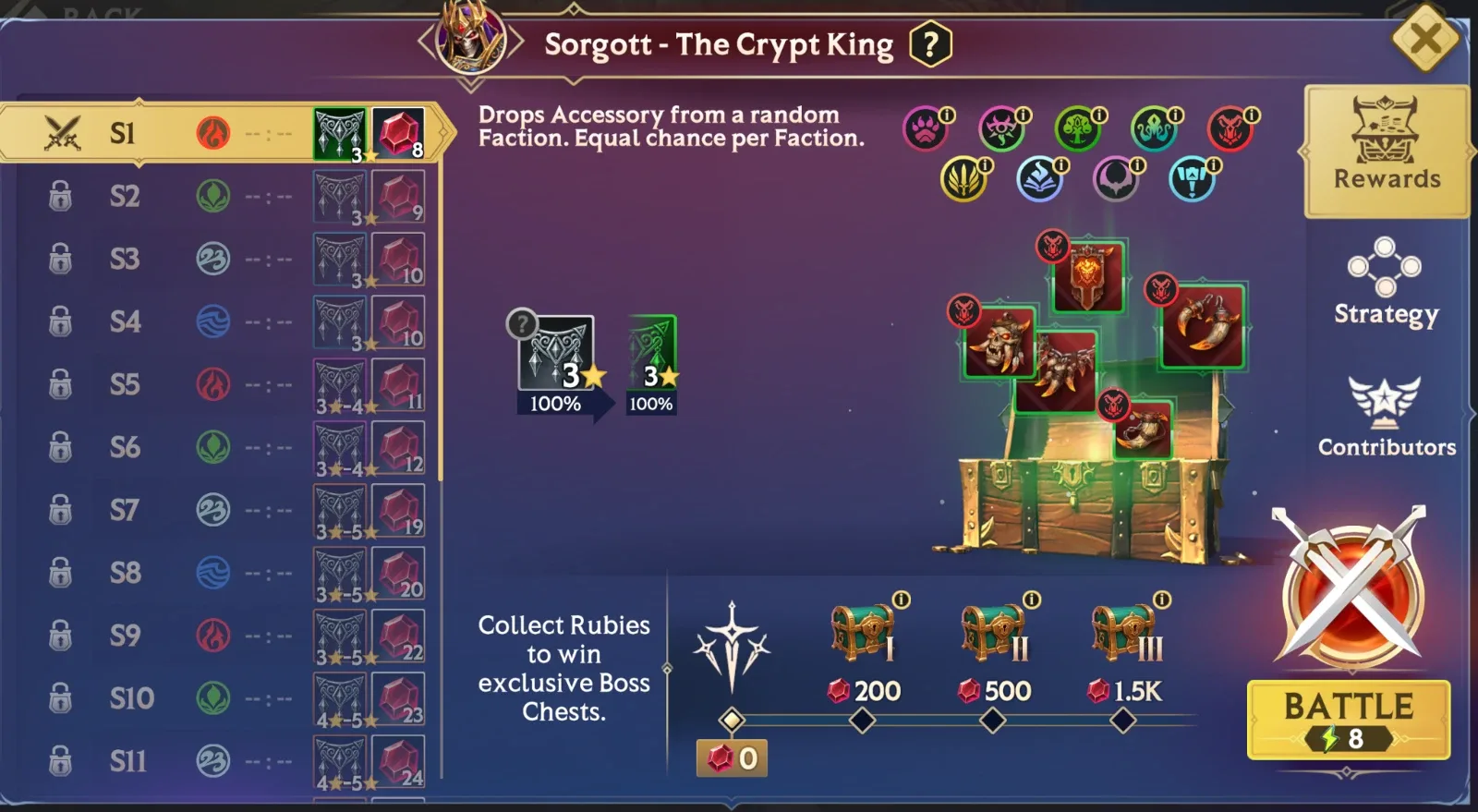
Of course, the other major benefit of Clans is fighting Clan Bosses! With the release of 0.61, there’s just one boss – Sorgott, the Crypt King – but our second Clan Boss will be arriving soon.
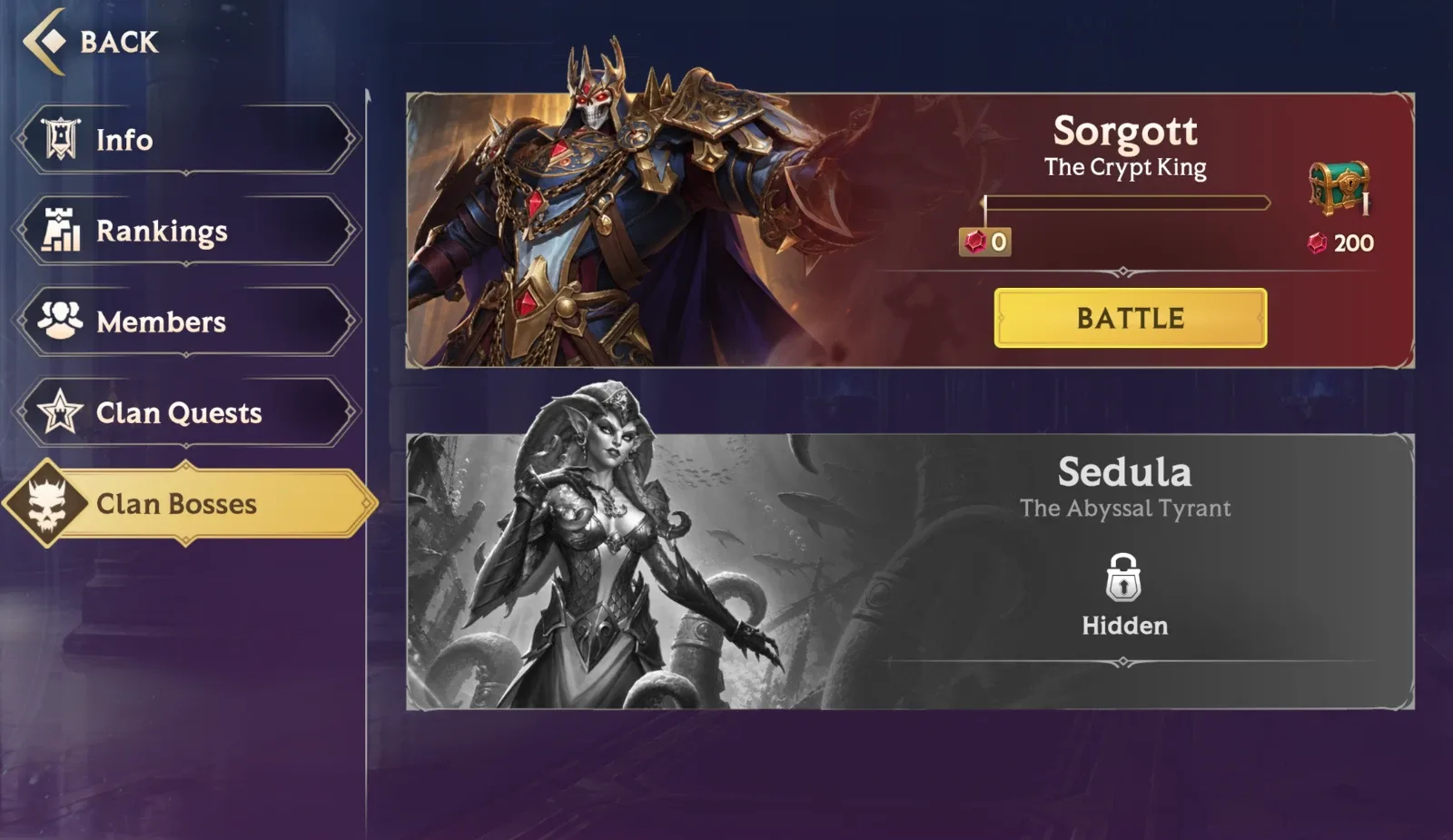
Defeating Sorgott will earn you Accessories – a new type of Gear which can be worn alongside Relics. Equipping these will see your Invokers ascend to new heights of strength, and you can only get them from fighting Sorgott.
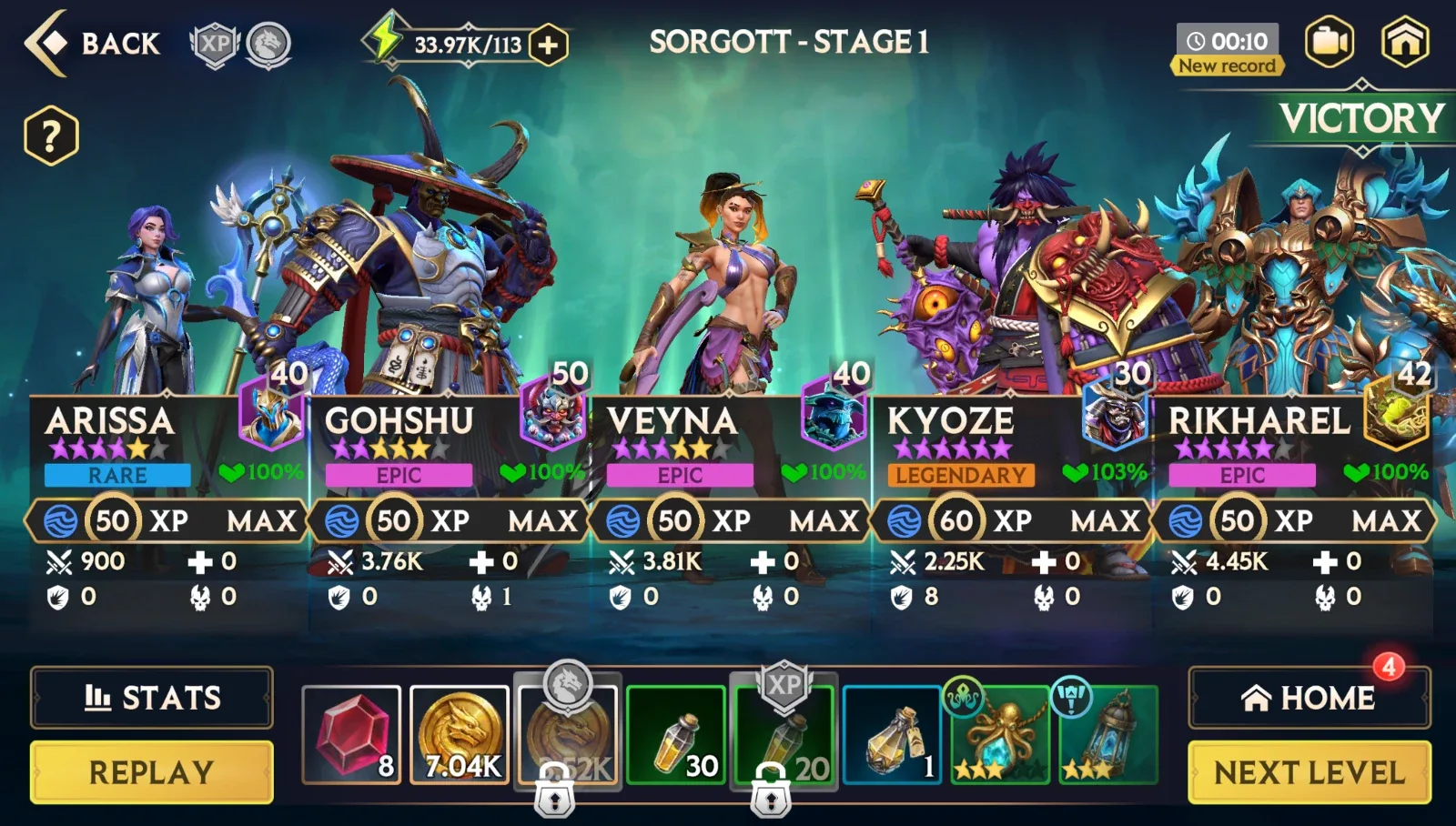
Sorgott also drops Rubies, with each Clan having a collective Ruby total. Collect enough Rubies during the day, and your Clan will receive a Clan Boss Chest, containing all sorts of goodies. You can see how many Rubies each Clan Member has contributed to the total by tapping the Contributors tab – so you can see who is pulling their weight.
And that’s Clans in a nutshell! We’ll be adding more and more features to Clans in future updates, so consider this Clans 1.0. We hope you enjoy setting up your Clan, collaborating with others, and taking on Sorgott to earn those precious Accessories. We’ll see you on the battlefield!